USB microphones are perfectly fine for beginners in voice over. They're also a ceiling you'll hit faster than you expect if you're doing professional work.
I started with a $100 microphone. Many professionals did. The gear you start with teaches you what matters and what doesn't, and no amount of reading forums will replace that experience. But there's a reason I don't record on that microphone anymore, and it has nothing to do with snobbery or gear obsession.
The USB mic does one job well
A USB microphone plugs into your computer, shows up as an audio device, and records sound. Done.
For someone testing whether voice over is for them, this is ideal. No interface to configure. No phantom power to worry about. No cables beyond what comes in the box. You can be recording within ten minutes of opening the package.
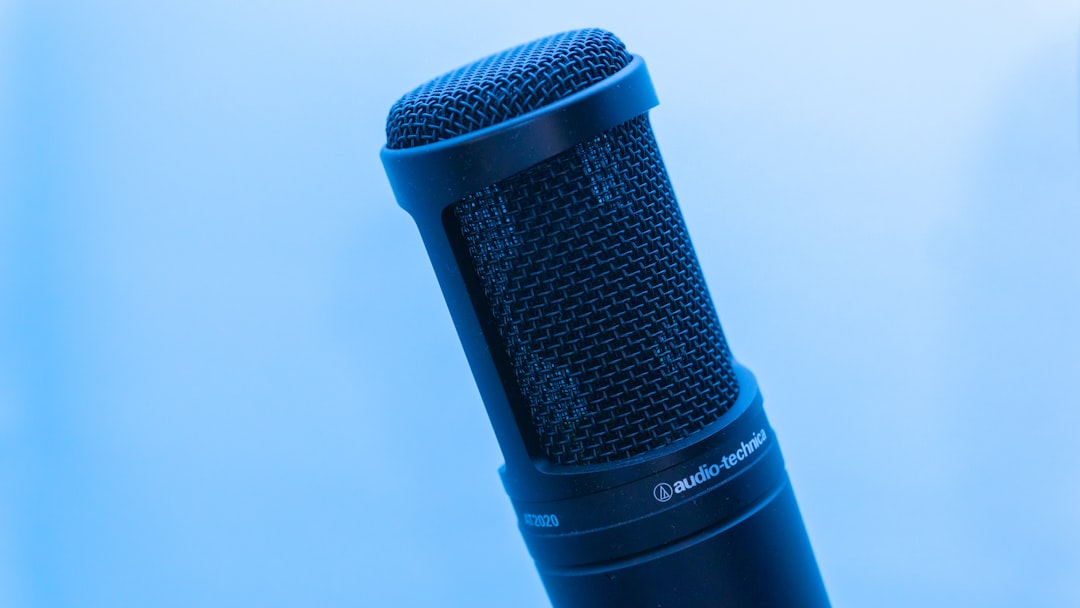
The Blue Yeti, the Audio-Technica AT2020 USB, the Rode NT-USB — these are all functional microphones that produce listenable audio. According to a 2023 survey by Podcraft, over 60% of new podcasters start with USB microphones, and many voice over beginners follow the same path. The reason is obvious: low barrier to entry.
And here's the thing people don't say enough — a beginner with a USB mic and good acoustics will sound better than a beginner with an expensive XLR mic in a bad room. The microphone picks up what's there. If what's there is echo and refrigerator hum, that's what you get.
Where USB microphones stop being useful
The problem surfaces when you need control.
USB microphones have the preamp built in. The analog-to-digital conversion happens inside the microphone body before the signal reaches your computer. You get whatever the manufacturer decided was the right gain staging, the right conversion quality, the right everything. No adjustment possible.
Professional voice over work often requires specific technical specs. A client might request -3dB peaks, a specific noise floor, 24-bit/48kHz files. With an XLR setup running through a quality interface, you control every parameter. With USB, you're at the mercy of whatever's soldered onto the circuit board inside that microphone housing.
Have you ever had a client ask for a pickup session and realized your USB mic now sounds slightly different because a driver update changed something you can't identify? That's not paranoia. That's Tuesday.
The latency problem nobody mentions
USB microphones introduce latency you cannot eliminate.
When I monitor through headphones during a session, I need to hear my voice in real time. Not 20 milliseconds later. Not "close enough." Real time. An XLR microphone running through an interface with direct monitoring gives you zero-latency playback because the signal goes straight from the preamp to your headphones before it touches the computer.
USB microphones process everything through the computer first. Even with a fast machine and optimized buffer settings, there's a delay. Some people adapt. Others find it impossible to perform naturally when they hear their own voice arriving late in their ears. (I recorded with that delay for my first year and thought it was normal — it wasn't, and switching to XLR was like getting glasses for the first time.)
For Spanish voice over specifically, this matters because the rhythm and cadence of the language requires tight monitoring. Recording in neutral Spanish means hitting precise timing on longer phrases — Spanish is about 30% longer than English, and that timing has to feel natural, not mechanical.
Source Connect doesn't play nice with USB
Here's where professional requirements get specific.
Source Connect is the industry standard for remote directed sessions. When a client in Los Angeles wants to direct a Spanish voice over session in real time, Source Connect is how that happens. The software expects proper audio routing — an interface it can recognize, proper input/output configuration, the ability to send and receive broadcast-quality audio simultaneously.
USB microphones create routing complications. Some work. Many don't. The ones that work often require workarounds that introduce their own problems.
I run Source Connect sessions daily. The clients booking those sessions — Ford, Nike, agencies handling campaigns for Fortune 500 brands — expect the connection to work the first time. They're paying for directed session time, and "let me try rebooting my USB mic drivers" is not a sentence that inspires confidence.
The upgrade path is the real issue
A professional XLR setup is modular.
You can upgrade the microphone without changing your interface. You can upgrade the interface without changing your microphone. You can add a dedicated preamp later. You can swap components based on what specific jobs require.
A USB microphone is a closed system. When you outgrow it, you replace the entire thing and start over with a completely different signal chain. Nothing transfers. The $200 you spent on the USB mic doesn't become part of your professional setup — it becomes a paperweight or a gift for a nephew who wants to start a podcast.
According to a 2022 analysis by Booth Junkie (a well-known voice over educator), most working professionals who started with USB microphones ended up spending more total money by buying USB first and then buying a full XLR setup later, compared to those who bought a modest XLR setup from the beginning. The "affordable entry point" of USB ends up being more expensive if voice over becomes your career.
When USB actually makes sense
Travel.
If you're recording from a hotel room during a work trip, a USB microphone makes logistical sense. One less piece of equipment. Simpler setup. Get the job done without checking extra bags.
But this is a workaround, not a solution. Professional voice over artists who travel regularly often invest in portable XLR setups — a small interface, a travel microphone, acoustic treatment they can set up anywhere. The convenience of USB doesn't outweigh the consistency of XLR when the work actually matters.
The signal chain you're not thinking about
XLR microphones don't connect directly to computers. They connect to an interface, and the interface is where a lot of the magic happens.
A decent interface — a Focusrite Scarlett, an Audient iD4, a Universal Audio Volt — gives you clean preamps, proper headphone amplification, and conversion quality that affects every recording you make. When I upgraded my interface three years ago, every recording I made afterward sounded better. Same microphone. Same room. Same me. Better interface, better everything.
USB microphones skip this entirely. The conversion quality is whatever fit inside the microphone at a price point that allows the manufacturer to make a profit. And that's often the weakest link in the entire chain.
My actual recommendation
Start with USB if you're testing whether voice over is for you.
But set a timeline. Give yourself six months. If you're still doing this after six months, sell the USB mic and buy a proper XLR setup. Don't spend more than $150 on the USB mic because you're going to replace it anyway.
Work buys gear — gear doesn't buy work. I've been saying this for twenty years. The microphone will never get you hired. Your interpretation will. Your reliability will. Your ability to take direction and deliver what the client needs will.
But once you're getting hired, the gear needs to not be a limitation. And USB microphones, past a certain point, become exactly that.
Need a Spanish voice over for your next project? Get in touch and I'll get back to you within the hour.